Improving Apple Notes through Notion

Context
Problem
Solution
Constrains
Key Desicion
Final Relection

Context

Apple Notes is one of the most commonly used apps for everyday tasks, quick ideas, and personal information. As users rely on it for more types of content—notes, passwords, reminders, recordings—the app’s simple structure becomes limiting. This project explores these limitations by creating interactive prototypes that test improved organization and usability

7 min read

Project
Feature Integration Case Study
Project type and Duration
Independnt conceptual summer project 
Skillsets
Ideation (User research, personas and workflow)
Hi fidelity and low fidelity prototypes (Figma)

Problem statement

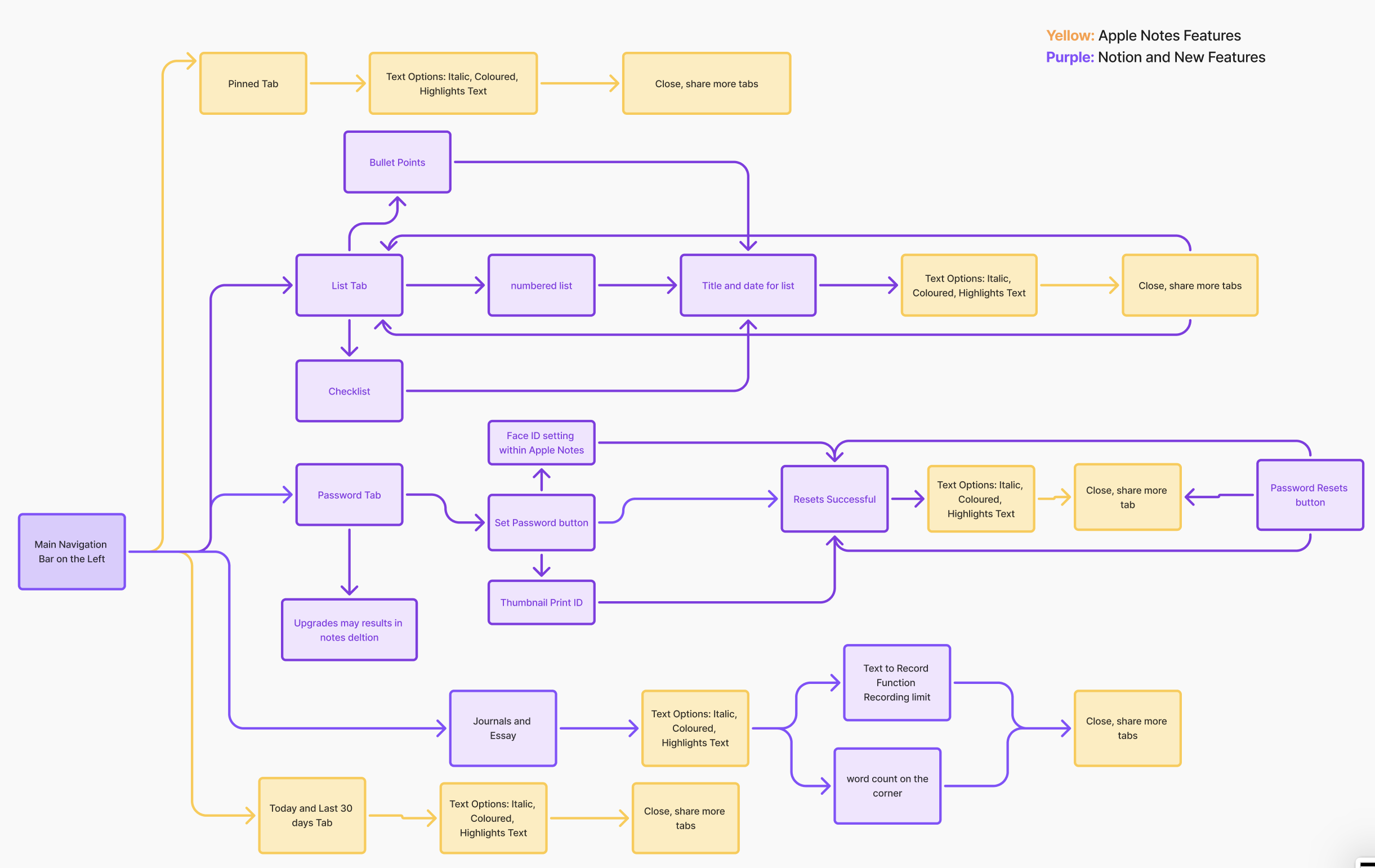
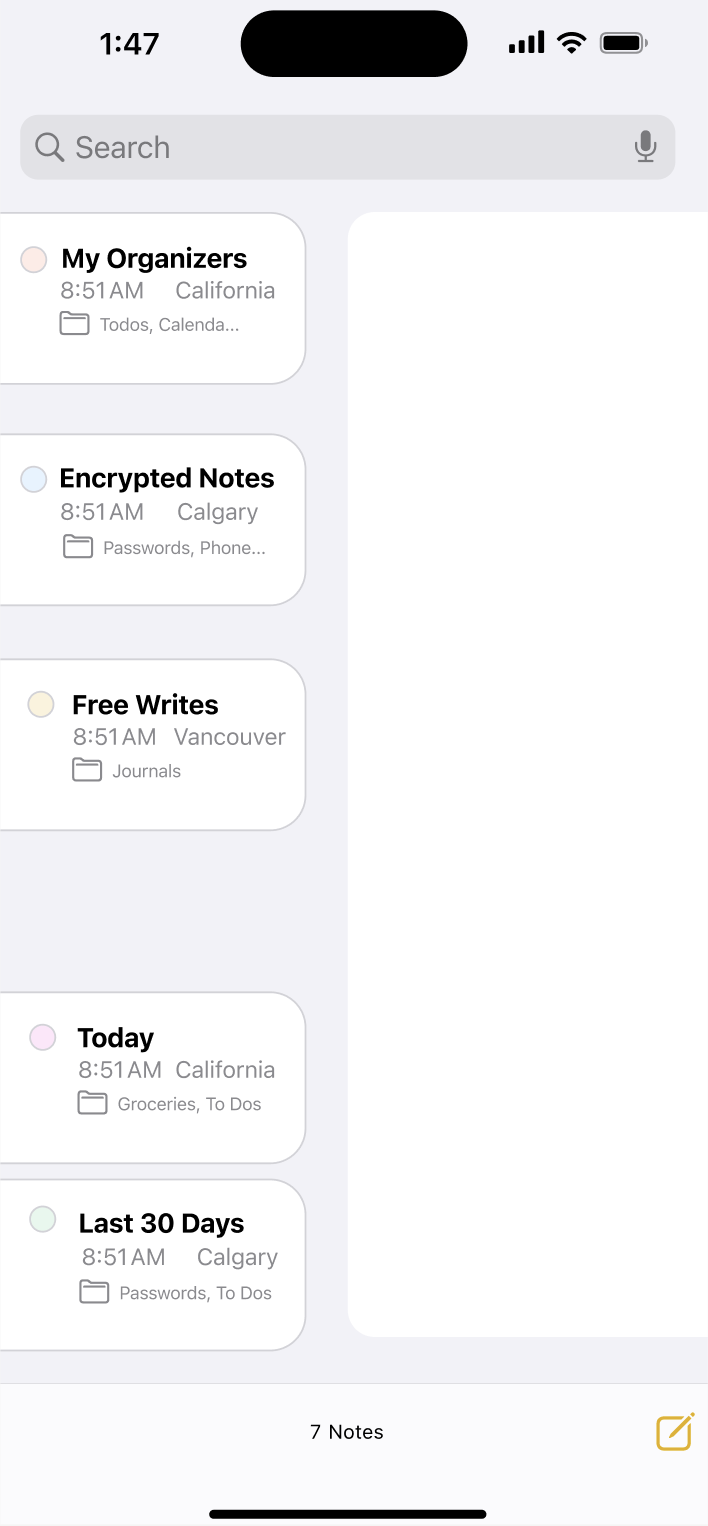
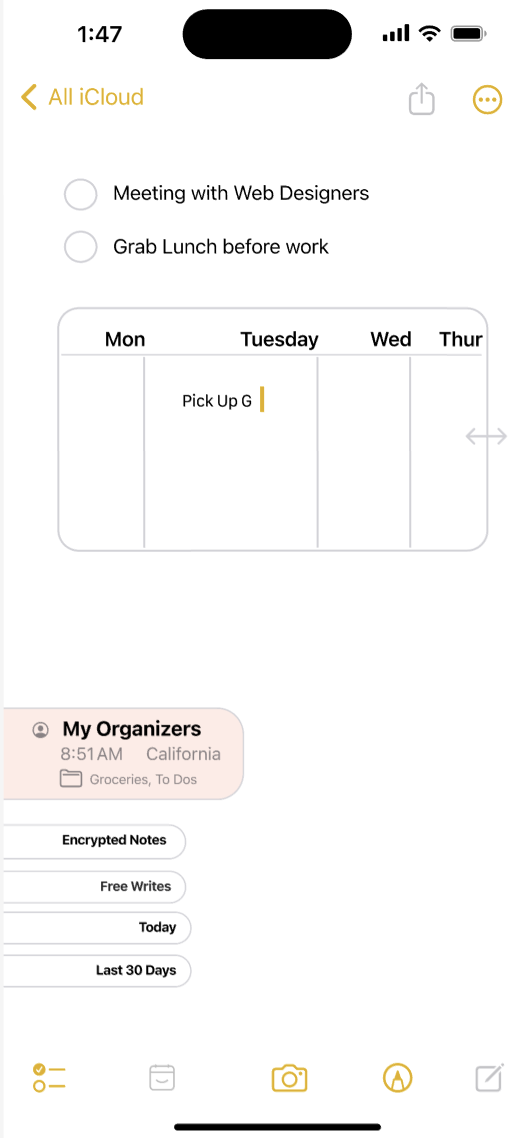
Users struggle to keep important information organized in Apple Notes. They often lose track of password updates, recordings, and other key items because the app lacks stronger organizational tools. This project aims to improve the system by integrating Notion-inspired usability while maintaining Apple’s clean and familiar design.


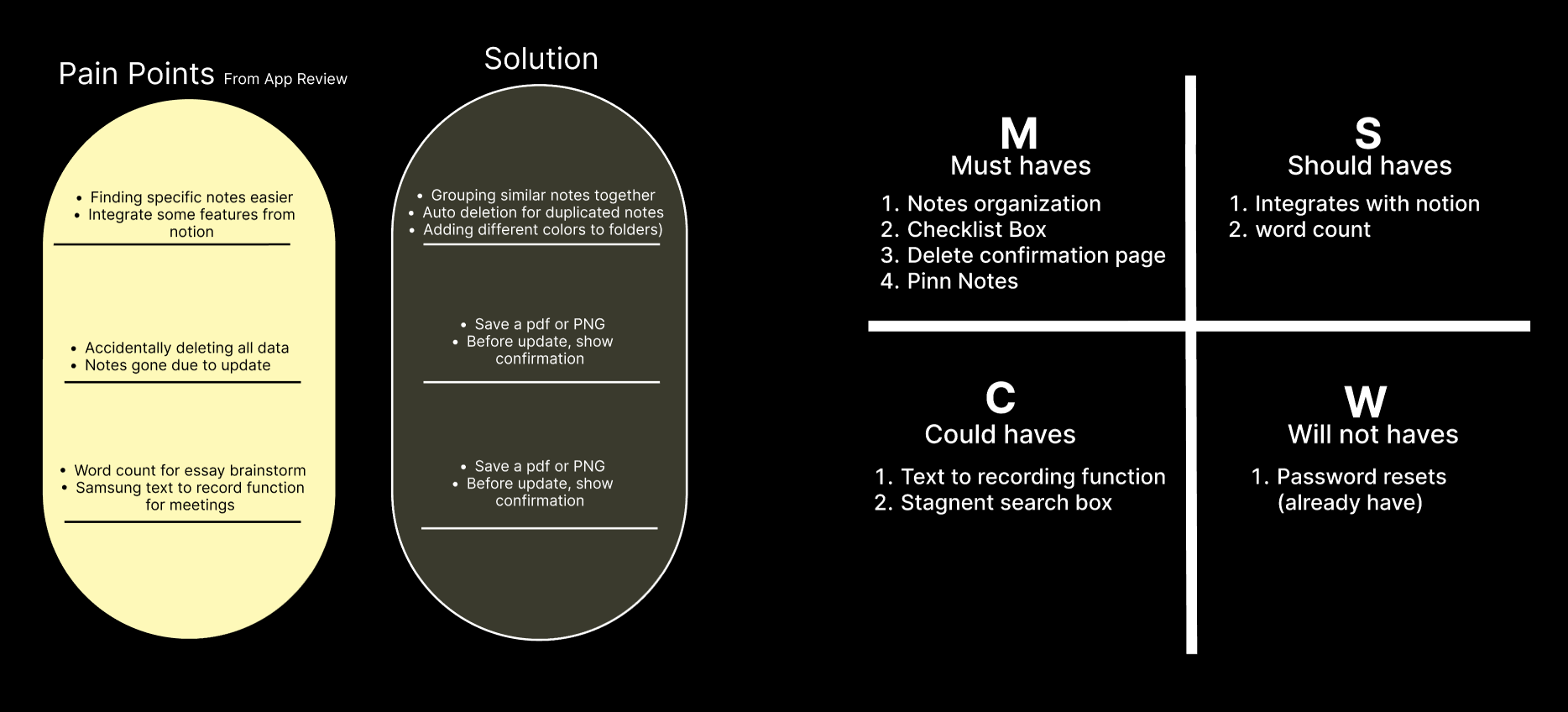
User Pain points:

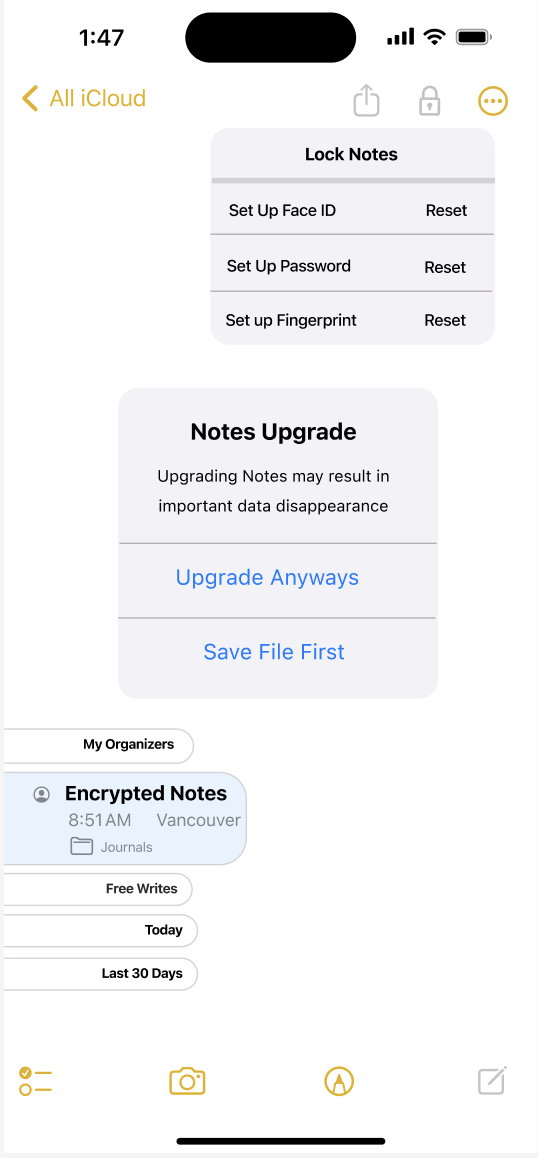
My notes has disapeared out of nowhere
Just a really useful app. If you guys could lean it in the direction of notion, it would be even better!
If you search and find anything you can't go back up the hiearchy to find the source folder
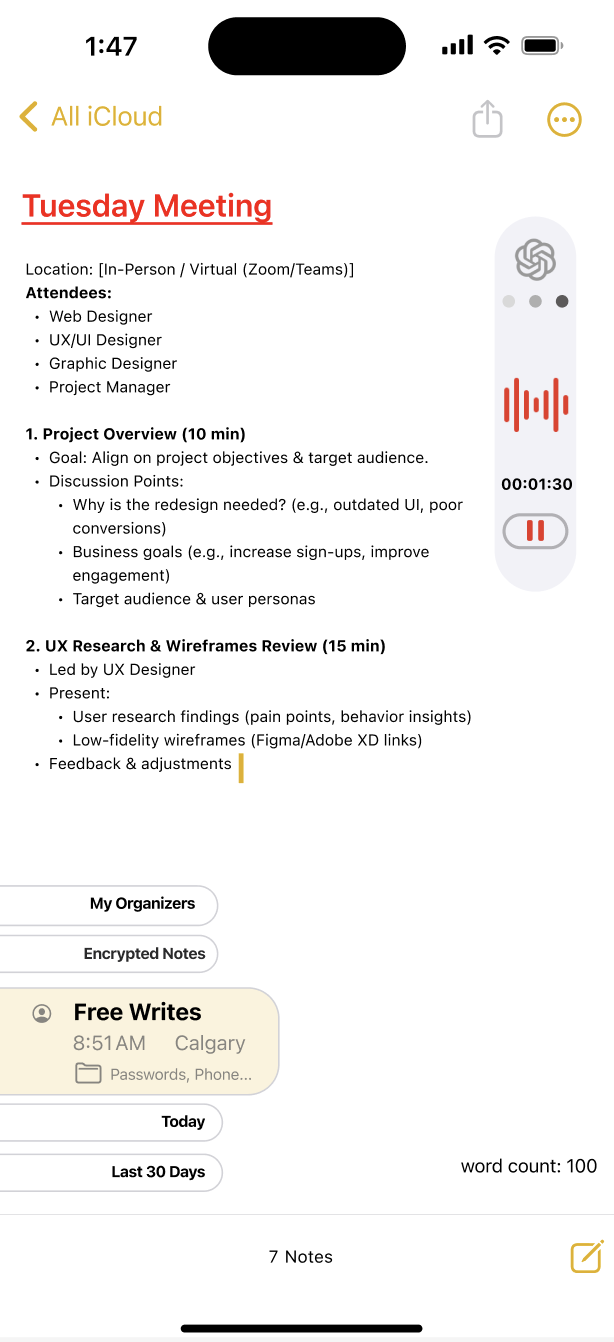
Recording and writing simultaneouly feature would help greatly
It's missing one major feature that would improve its functionality- a word count

Solution Overview

Constrain

Platform Limitations
Apple Notes is part of the iOS ecosystem, so any redesign must follow Apple’s Human Interface Guidelines.Feature changes can’t break the simple, minimal design Apple users expect.

User Expectations
Users like Apple Notes because it’s simple—so the redesign can’t overwhelm them.Any new system must feel familiar to Apple users and match Apple’s visual language.

Apple notes branding versus notion branding

Key Design Decision

Reflect and Resets

What Should We Do Next?

- Apple Notes is widely used for many different types of content, not just simple notes, which reveals gaps in its current organizational system.
- A minimal design is helpful, but without strong structure, users can easily lose important information like passwords, recordings, or updates.
- Studying Notion helped me understand how flexible organization (folders, hierarchy, and visual structure) can improve usability.
- Balancing innovation with familiarity is important—users want better features without losing Apple’s clean and intuitive feel.
- Creating interactive prototypes helped me better understand user behavior and pain points

What Went Well

- Refine the organization system by testing clearer categories, tagging, or smart grouping for different content types.
- Conduct usability testing to see which Notion-inspired features feel most natural within Apple Notes.
- Improve visual hierarchy to make important information easier to find at a glance.
- Explore customization options while keeping the interface simple and uncluttered.
- Iterate on the prototype based on feedback to ensure it feels seamless and Apple-like.

Let's Connect

Thank you for viewing until the end of this project. Please feel free to contact for any opportunities  or continue to view more projects. Looking forward to collaborating together to create impactful projects through creativity~

View about me section